 MySimulcast
AppsNative
Coming to iPhone, iPad, and Android
Go live to three platforms at once.
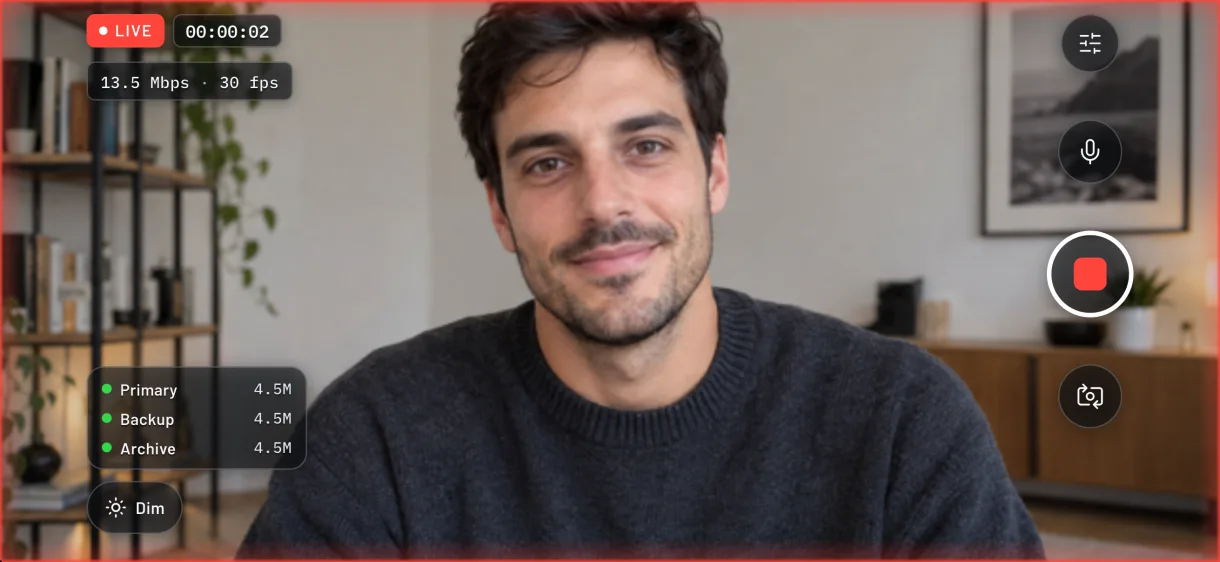
Send the same camera feed to up to three destinations. Choose a resolution and bitrate for each on supported devices, and see which destinations are live as you broadcast.
- RTMP
- RTMPS (TLS)
- SRT
Where you can stream
Connect to services that accept RTMP, RTMPS, or SRT, including YouTube Live, Facebook Live, Instagram Live, Twitch, Kick, TikTok LIVE, LinkedIn Live, Vimeo, and Rumble. Use the ingest address and stream key your service provides. Live access and supported stream settings depend on your account and the service.
How it connects
MySimulcast sends video directly to the destinations you choose. You can mix protocols in one broadcast, and RTMPS encrypts the connection using TLS. The app is free to use and has no ads or advertising trackers.
One broadcast at 30 fps
With Custom quality on supported devices, a single landscape broadcast can use these settings.
- YouTube Live over RTMPS, 1920 × 1080 at 6,000 kbps
- Twitch over RTMP, 1280 × 720 at 3,000 kbps
- Custom SRT receiver at 1920 × 1080 and 4,000 kbps
Camera and display
Switch between the front and rear cameras. On devices with multiple available rear lenses, choose Back Lens in Settings. The app uses that lens when you return to the rear camera. For a Custom-quality broadcast, choose your camera and lens before going live.
Dim lowers screen brightness. Lights Off shows a black screen and suspends the preview while streaming continues. Use these controls during longer sessions, including while plugged in.